Blender Rendering Explained: Light, Materials & Rays
Blender rendering can feel almost magical to those new to 3D software. Detailed scenes with realistic lighting, reflections, and materials can appear nearly identical to real-world photography.
Behind every render, however, is a complex system simulating how light interacts with objects. Each ray is calculated, shadows are evaluated, and materials respond based on their properties — whether reflecting, absorbing, or scattering light. Blender transforms this data into images that feel lifelike and immersive. Understanding rendering is less about memorizing settings and more about learning how light behaves. Keep reading to explore how Blender turns calculations into compelling visual results.
How Rendering Works in Blender
At its core, Blender rendering simulates light behavior. One of the most important techniques used is ray tracing, which calculates how light travels through a scene.
Imagine a single ray of light emitted from a lamp. As it moves through the scene, it eventually collides with a surface, such as a table or wall. When this happens, several interactions can occur:
- Some light is absorbed by the material
- Some light is reflected
- Some light is scattered in different directions
Blender calculates these interactions thousands of times per pixel. The software then traces these light paths back to the camera to determine what should be visible in the final image.
Because Blender is effectively simulating real-world physics, rendering can be computationally intensive. The more accurate the simulation, the longer the render time.
Why Lighting Defines the Final Image
One of the most important aspects of Blender rendering is lighting. Two identical scenes can produce dramatically different results depending entirely on how they are lit.
Lighting influences both realism and mood:
- Soft lighting creates a calm and natural atmosphere
- Hard, directional lighting introduces contrast and drama
- Warm lighting feels inviting and comfortable
- Cool lighting can appear clinical or futuristic
These subtle adjustments can significantly affect how a viewer interprets an image. Rendering is not purely technical; it also involves creative decision-making that shapes a scene’s emotional tone.
Understanding Samples: Balancing Quality and Speed
Sample count is one of the most commonly adjusted settings in Blender rendering. Samples determine how many times the software calculates light interactions to refine the image.
Higher sample counts produce cleaner results but require more time to render.
Low Sample Render
- Faster to compute
- Noticeable noise or grain
- Ideal for previews and testing
Medium Sample Render
- Balanced quality and performance
- Reduced noise
- Common during scene development
High Sample Render
- Clean, polished output
- Longer render times
- Used for final images or animations
Finding the right balance between speed and quality is an essential part of the rendering workflow. In most cases, artists begin with low samples for testing and gradually increase them for the final output.
Realism Comes from Light, Not Complexity
A common misconception among beginners is that realism depends entirely on detailed models or high-resolution textures. While these elements are important, lighting often plays a more significant role.
For example, a highly detailed object with poor lighting may appear flat and unrealistic, while a simpler object with natural lighting and accurate reflections can look highly convincing.
This demonstrates that rendering is less about object complexity and more about how light interacts with surfaces. Effective lighting can elevate even simple scenes into something visually compelling.
Rendering from the Camera’s Perspective
In Blender, rendering is based entirely on what the camera sees. Objects outside the camera’s view do not contribute to the final image, which allows artists to optimize their scenes.
This approach is similar to filmmaking, where only visible elements are fully developed. Artists often:
- Add detail to areas within the camera frame.
- Reduce complexity in unseen areas.
- Adjust composition to guide the viewer’s attention.
Understanding the camera’s role helps improve both efficiency and visual quality.
The Importance of Imperfection
One key factor in achieving realism is the inclusion of imperfections. Real-world objects are rarely flawless, and perfectly clean surfaces can appear artificial in a rendered image.
Common imperfections include:
- Small scratches on metal surfaces
- Dust or smudges on glass
- Slight variations in color or texture
- Uneven reflections
By introducing subtle irregularities, artists can make renders feel more natural and believable. In many cases, these small details have a significant impact on the final result.
Rendering as an Iterative Process
Rendering in Blender is rarely a one-step process. The first render often reveals issues that were not immediately noticeable during scene setup.
Common adjustments after initial renders include:
- Refining lighting intensity or direction
- Adjusting material properties such as roughness or reflectivity
- Tweaking camera settings like depth of field
- Improving composition and framing
Each render provides feedback, allowing artists to refine their work. This iterative process continues until the desired result is achieved.
Blender Rendering: Where Art Meets Technology
Blender rendering exists at the intersection of science and creativity. On the technical side, it relies on physics simulations, ray tracing algorithms, and precise calculations. On the creative side, it involves composition, mood, and storytelling.
The software performs the calculations, but the artist guides the outcome. By understanding how light behaves and how materials respond, artists can transform simple 3D scenes into visually compelling images.
Whether you are creating product visualizations, animations, or artistic renders, mastering Blender rendering is essential for producing high-quality results. With practice and experimentation, you can refine your workflow and unlock the full potential of Blender’s rendering capabilities.
Accelerate Your Blender Rendering with Render Pool
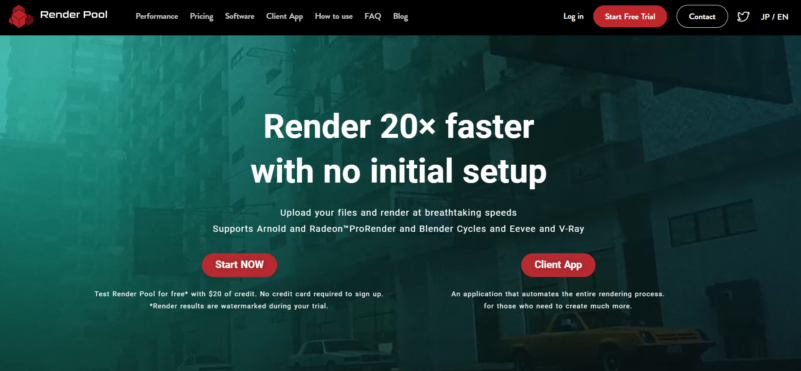
For artists working with complex scenes, render time can quickly become a major limitation. Render Pool offers a cloud-based rendering solution that significantly reduces wait times while maintaining high-quality output. By distributing rendering tasks across high-performance servers, users can render up to 20× faster with no initial setup required.
Render Pool supports Blender Cycles and Eevee, as well as other engines like Arnold and Radeon ProRender, across Windows, Linux, and macOS. Simply upload your .blend file and start rendering immediately. With flexible pricing, automated workflows, and a free trial that includes $20 in credits, it’s an accessible solution for both individuals and studios.