What You Need to Know About GPU Cloud Rendering
Not long ago, rendering a complex 3D scene often meant dedicating your local machine to hours, or even days, of uninterrupted processing. Artists would initiate a render, cross their fingers, and wait for results.
Today, GPU cloud rendering has transformed that experience. By providing access to powerful remote hardware, it enables artists, studios, and independent creators to render high-quality projects without relying solely on local resources. Beyond improved speed, this approach introduces greater flexibility, scalability, and efficiency into modern rendering workflows.
Keep reading to explore how GPU cloud rendering works, why it’s becoming an essential tool for modern creators, and what to consider before integrating it into your workflow.
What Is GPU Cloud Rendering?
At its core, GPU cloud rendering involves using remote servers equipped with high-performance graphics processing units (GPUs) to handle rendering tasks over the internet. Instead of processing scenes on a local workstation, users upload their project files to a cloud-based platform, which renders them using its own infrastructure.
Once the rendering process is finished, the output, whether still images or animations, is available for the user to download. While the concept is relatively straightforward, the impact is significant. Creators gain access to enterprise-level computing power without the need to purchase, maintain, or upgrade expensive hardware.
The Role of GPUs in Rendering
Rendering requires extensive computational effort, including calculations for lighting, shadows, textures, and reflections. GPUs are specifically designed for parallel processing, enabling them to perform many calculations simultaneously. This makes them highly effective for rendering workloads.
In a cloud environment, the advantages of GPUs are amplified. Instead of being limited to one or two GPUs in a local system, users can access multiple GPUs simultaneously, sometimes scaling to dozens or more depending on the platform. This scalability enables faster rendering and the easy management of larger, more complex scenes.
How GPU Cloud Rendering Changes Creative Workflows
One of the most notable benefits of GPU cloud rendering is its impact on the creative process. When rendering is slow, creators often hesitate to make adjustments, knowing each change could require significant processing time. This can limit experimentation and impact the final quality of a project.
With faster turnaround times, cloud rendering reduces this constraint. Artists can iterate more frequently, test variations, and refine details without the same level of delay. As a result, workflows become more dynamic, and creative decisions can be made with greater confidence.
This shift not only improves efficiency but also contributes to higher-quality outcomes by encouraging exploration and refinement.
Who Uses GPU Cloud Rendering?
GPU cloud rendering supports a wide range of users across different industries, each benefiting in distinct ways.
Independent Artists and Freelancers
For individual creators, investing in high-end hardware can be cost-prohibitive. Cloud rendering provides access to advanced GPU resources on demand, allowing freelancers to take on more complex projects without a significant upfront investment.
Small Studios.
Smaller teams often experience fluctuating workloads. A single project may require more rendering power than usual, but purchasing additional hardware may not be practical. Cloud rendering allows these teams to scale resources up or down as needed, aligning costs with project demands.
Large Studios and Production Pipelines
Even large studios with established infrastructure use cloud rendering as a supplementary solution. During peak production periods, cloud services can handle overflow workloads, helping to avoid delays and maintain production schedules. This hybrid approach of local and cloud resources is becoming increasingly common.
Understanding the Cost Structure
At first glance, cloud rendering costs may appear high due to their usage-based pricing model. However, comparing these costs with those of maintaining local hardware reveals a more nuanced picture.
Owning rendering hardware involves additional expenses, including electricity, cooling systems, maintenance, upgrades, and physical space. Over time, these costs can accumulate significantly. In contrast, cloud rendering operates on a variable cost model, where users pay only for the resources they use.
For creators with inconsistent workloads, this approach can be more cost-effective and efficient, as it eliminates the need for continuous hardware investment that may not always be in use.
Accessibility and Ease of Use
Modern cloud rendering platforms like Render Pool are designed to simplify the rendering process. Instead of requiring users to manage complex technical configurations, many services focus on providing a streamlined experience.
Typically, users upload their files, select rendering settings, and allow the platform to distribute the workload across its GPU network. This approach minimizes the need for technical expertise in server management, making cloud rendering accessible to a broader audience.
By reducing complexity, these platforms enable artists to focus more on creative work rather than infrastructure.
Challenges to Consider
While GPU cloud rendering offers many advantages, there are several practical considerations to keep in mind.
File Upload Speeds
Rendering in the cloud begins with uploading project files. High-resolution textures, detailed models, and long animations can result in large file sizes. A slow or unstable internet connection may create delays, offsetting some of the time saved during rendering.
Data Security
Uploading files to remote servers requires trusting a third-party provider. For projects involving sensitive or unreleased content, this can raise concerns. Reputable platforms typically implement strong security measures, but it remains important to carefully evaluate these safeguards.
Software Compatibility
Not all workflows transition seamlessly to the cloud. Certain plugins, custom tools, or specialized software configurations may not be fully supported. Verifying compatibility before starting a project can help prevent disruptions.
Cost Management
Although pay-as-you-go pricing offers flexibility, it also requires oversight. Misconfigured settings or repeated render jobs can quickly increase costs. Monitoring usage and optimizing render settings are essential for maintaining cost efficiency.
Emerging Trends in GPU Cloud Rendering
GPU cloud rendering continues to evolve, with several developments shaping its future.
One key trend is the integration of artificial intelligence into rendering workflows. AI-powered tools such as denoising and upscaling are reducing the computational load required to achieve high-quality results, improving both speed and efficiency.
Another advancement is the growth of real-time collaboration. As cloud platforms become more interactive, teams may be able to preview and adjust renders in near real time, even when working from different locations.
Additionally, tighter integration with creative software is expected. Rendering may become a more seamless part of existing workflows, reducing the need to export and upload files manually.
A Shift in How Computing Power Is Used
GPU cloud rendering reflects a broader shift in how computing resources are accessed. Traditionally, creators relied on hardware they owned, upgrading systems over time and working within those limitations.
With cloud rendering, computing power becomes an on-demand resource. Users can scale their capabilities based on project requirements, rather than maintaining maximum capacity at all times. This model allows for greater flexibility and reduces the need for long-term hardware investments.
Expand Creative Possibilities with GPU Cloud Rendering
GPU cloud rendering is not intended to replace every local workflow, nor is it always the most economical option in every situation. However, it offers a level of flexibility and scalability that traditional setups often cannot match.
By enabling faster iteration, reducing hardware constraints, and providing access to powerful resources, cloud rendering allows creators to take on more ambitious projects with fewer limitations. As the technology continues to advance, it is likely to become an increasingly standard component of modern 3D production pipelines.
For artists, studios, and teams of all sizes, GPU cloud rendering offers a practical, forward-looking approach to meeting the growing demand for high-quality visual content.
Get Started with Render Pool Today
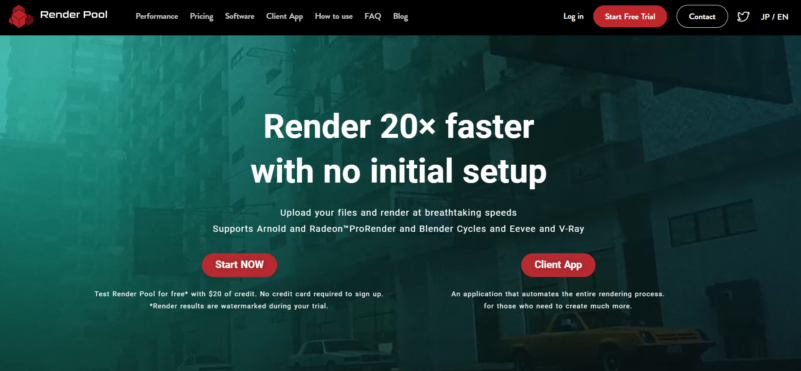
If you’re ready to experience GPU cloud rendering, Render Pool offers a fast and accessible way to begin. With no initial setup required, you can upload your files and start rendering up to 20× faster using powerful cloud-based GPUs.
The platform supports popular engines like Blender Cycles and Eevee, Chaos V-Ray, Autodesk Arnold, and Radeon ProRender, making it easy to integrate into your existing workflow. You can also try it risk-free with $20 in free rendering credit.
Try Render Pool today and see how faster rendering can streamline your creative process.