
Blender Cloud Rendering: Smarter Workflows for Artists
Most Blender artists encounter cloud rendering only when local resources fall short; renders crash, animations miss deadlines, or previously stable scenes fail. Cloud rendering lets you upload your Blender projects to remote machines built for high-performance workloads, with powerful GPUs, ample memory, and parallel processing. This approach accelerates still-image rendering and transforms animation workflows by distributing frames across multiple machines rather than a single workstation. Suddenly, projects that once seemed impossible become achievable.
Read on to discover how Blender cloud rendering can streamline your workflow, reduce stress, and unlock greater creative freedom.
Why Cloud Rendering Feels Uncomfortable at First
Adopting cloud rendering often presents a psychological challenge rather than a technical one. Artists are used to monitoring renders locally, watching tiles fill the screen, and tracking system activity. Cloud rendering removes these familiar cues.
After submitting a Blender scene to a cloud service, there’s no immediate feedback on your workstation. That lack of visibility can feel unsettling at first. Rendering has traditionally been hands-on, and trusting a remote system requires adjustment. Over time, however, the process becomes predictable and even more streamlined.
When Rendering Stops Dominating Your Workflow
Local rendering ties your creative process to your hardware. While your computer renders, your productivity slows down as you avoid opening other software, running simulations, or tackling complex scenes. Work schedules often revolve around render completion estimates, and creative momentum can stall.
Cloud rendering breaks this dependency. Once a job is submitted, you’re free to continue development, refine assets, or step away entirely. Rendering becomes a background task rather than a central concern. This change has a direct impact on deadlines: instead of asking, “Can my hardware handle this render?” artists ask, “Is this the best version of the idea?” Cloud rendering allows creative decisions to take priority over technical limitations.
Cloud Rendering and Deadline Reliability
Deadlines feel more manageable when rendering is predictable. Local renders are vulnerable to crashes, driver issues, or power outages, which can cause stress during long overnight jobs. Cloud rendering reduces these risks: jobs either complete successfully or fail clearly, making troubleshooting straightforward.
The increased predictability lowers pressure, allowing you to refine work without rushing. Mistakes caused by impatience or fear of missing deadlines decrease, freeing time to iterate on design, lighting, and composition rather than constantly monitoring technical progress.
Expanding the Scale of What’s Possible
One of the most noticeable effects of cloud rendering is the ability to work at a larger scale. Scenes that would be impractical to render locally become achievable. Higher sample counts, more complex lighting setups, denser geometry, and longer animations become manageable rather than prohibitive. This expanded capacity does not encourage unnecessary complexity. Instead, it enables more deliberate planning.
With access to scalable rendering resources, you can plan sequences instead of isolated frames, maintain visual consistency across shots, and revisit scenes without being constrained by render times.
Blender cloud rendering services, such as Render Pool, address the growing demands of modern Blender projects, which frequently exceed the capabilities of individual workstations. Cloud rendering does not replace local workflows; it enhances them.
The Relationship Between GPU Rendering and Cloud Rendering
Cloud rendering is often misunderstood as a replacement for local GPU rendering. In practice, the two serve distinct but complementary roles. Local GPU rendering remains essential during development. It provides immediate feedback and is well-suited for testing materials, lighting, and composition. Cloud rendering is most effective during final production stages, where consistency, reliability, and volume are critical.
Together, these approaches form a balanced pipeline. Artists develop locally and finalize in the cloud. Once this relationship is established, cloud rendering becomes an integrated part of a professional workflow rather than a last-minute solution.
Creative Focus Without Hardware Constraints
One of the most practical benefits of cloud rendering is the mental clarity it provides. Without worrying about memory limits, crashes, or slow hardware, artists can focus fully on creative decisions. Lighting, composition, and storytelling take precedence over technical concerns.
This focus often shows in the final output. Projects feel more cohesive, animations flow naturally, and details are refined. Cloud rendering doesn’t automatically improve quality, but by removing distractions, it allows artists to produce work that aligns with their vision.
When Cloud Rendering Makes Sense
Cloud rendering is not necessary for every Blender project. Simple scenes, short animations, and early-stage tests are often best handled locally. However, cloud rendering becomes increasingly valuable as project complexity increases.
Extended animations, tight production timelines, advanced lighting setups, and scenes that approach hardware limits are strong candidates for cloud rendering. In these cases, cloud-based solutions provide practical advantages rather than optional conveniences.
Effective use depends on intention rather than automation.
Accelerate Blender Cloud Rendering with Render Pool
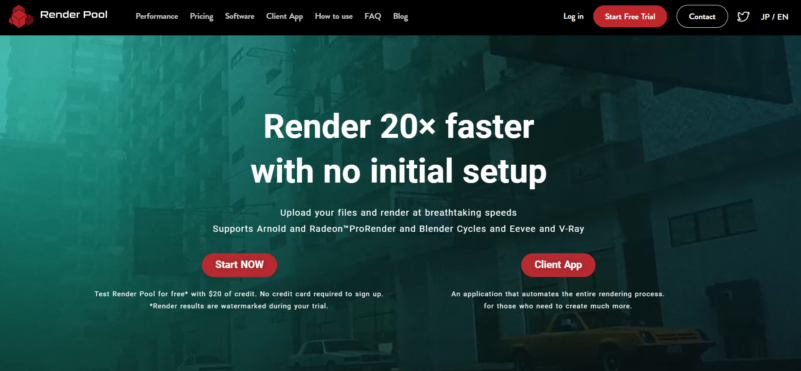
For creators who need speed and scale, Render Pool offers a powerful Blender cloud-rendering solution with zero setup required. Upload your .blend files and render up to 20× faster across thousands of high-performance servers. Render Pool supports Blender Cycles and Eevee on Windows, macOS, and Linux.
By offloading rendering to the cloud, your local machine remains free for ongoing work. With pricing starting at $0.03 per GPU minute and a free $20 trial (no credit card required), Render Pool makes professional-grade cloud rendering fast, flexible, and accessible for individuals and studios alike.
Simplify Your Workflow with Cloud Rendering
Initially, cloud rendering is often viewed as a temporary solution rather than a standard workflow choice. Many artists treat it as a contingency option, used only when local resources are no longer sufficient. Over time, however, it becomes clear that Blender cloud rendering is not simply a fallback. It represents a different approach to managing production demands.
Cloud rendering is not intended to replace local rendering or eliminate the need for capable workstations. Its purpose is to remove limitations when they begin to restrict creative and production goals.
When used strategically, cloud rendering offers flexibility, reliability, and scalability. It enables artists to expand their ambitions without relying solely on frequent hardware upgrades. Combined with strong local workflows and services such as Render Pool, it becomes a natural extension of modern Blender production.
Ultimately, cloud rendering is not about outsourcing computation. It’s about enabling artists to focus on what matters most: producing high-quality work efficiently and consistently.