
Blender Render Farm: Speed Up Your Workflow
For many Blender users, rendering eventually becomes the main bottleneck. A single still image may take several minutes, while a detailed animation can require days of continuous rendering. This is where a Blender render farm can make a significant difference.
Whether you’re an independent artist, freelancer, or part of a studio, understanding how render farms work and when to use them can help you work more efficiently and spend more time creating. Keep reading to see how render farms fit into your Blender workflow and when they become essential.
Why Blender Renders Take So Long
It’s easy to assume that slow rendering is simply the result of an older computer or limited hardware. In reality, rendering performance depends on many factors, and even powerful workstations can struggle with complex scenes. Render times can increase significantly depending on scene complexity, with the most common factors including:
- High-resolution textures
- Global illumination and ray tracing
- Glass and reflective materials
- Volumetric effects such as smoke and fog
- Detailed geometry and particle systems
- Large animations with hundreds or thousands of frames
A scene may feel smooth and responsive while you work in the viewport, but the final render tells a different story. Once Blender begins calculating lighting, reflections, shadows, and effects, render times increase significantly.
What Is a Blender Render Farm?
A Blender render farm is a network of computers designed to handle rendering projects created in Blender. Instead of relying on a single workstation to process every frame, rendering tasks are distributed across multiple machines simultaneously. Rather than rendering one frame at a time locally, dozens or even hundreds of systems work together to complete the project much faster.
Render farms are particularly useful for large animations, high-resolution still images, and commercial projects with strict deadlines. They also help with complex scenes that include advanced lighting and effects, while allowing artists to continue working in Blender as rendering tasks run in the background across multiple systems.
By offloading rendering tasks, your computer remains free for modeling, texturing, and other creative work.
How Render Farms Change Your Workflow
One of the less obvious benefits of render farms is their impact on the creative process. When working locally, artists often adjust their decisions based on render limitations. Certain lighting setups may be avoided, effects simplified, and scene complexity reduced to keep rendering times manageable. Over time, these constraints can influence both the quality and ambition of a project.
A render farm reduces this pressure. Instead of designing around hardware limitations, artists can focus on achieving the final result they envision. This does not necessarily mean more complex scenes. It simply allows more freedom to explore ideas without worrying about render performance.
Why Render Farms Are Especially Useful for Animation
Still images can be demanding, but animations highlight rendering limitations even more clearly. A single frame that takes five minutes to render may not seem significant. However, an animation with 1,000 frames would require more than 80 hours of continuous rendering on one machine. Long rendering sessions also introduce additional risks:
- System crashes
- Power interruptions
- Hardware overheating
- Missed deadlines
- Limited access to your workstation
A render farm solves this by distributing frames across multiple systems. Instead of waiting days for completion, animations can often be rendered in a fraction of the time, significantly improving production efficiency for client work and deadlines.
Faster Rendering Encourages Experimentation
With access to a render farm, experimentation becomes much easier for artists working in Blender. They can test multiple lighting scenarios, compare different material settings, and experiment with camera movement without worrying about long render times. It also makes it easier to create additional render passes and iterate on projects more frequently, leading to a more flexible and exploratory workflow.
The ability to explore more options often leads to better final results. In many cases, render farms improve not only efficiency but also the overall quality of a project.
Local Rendering vs. Using a Render Farm
For many Blender users, local rendering and render farms represent two different stages of a creative workflow. Local rendering works perfectly well for smaller projects and remains the preferred option for many artists. It offers complete control and is often sufficient for simple scenes and short animations.
However, as projects become larger and more detailed, the limitations of a single workstation become increasingly apparent. A render farm becomes valuable when projects involve:
- Long animations
- High-resolution output
- Tight deadlines
- Complex visual effects
- Client work with frequent revisions
Choosing a Blender Render Farm
As Blender projects grow in complexity, local rendering can quickly become a bottleneck. Render farms solve this by providing distributed, cloud-based rendering, allowing Blender users to upload their projects and process renders in parallel across multiple high-performance machines. Once rendering is complete, the final output can be downloaded directly.
In selecting a render farm for Blender, it’s important to consider supported software versions, pricing structure, rendering speed, security of uploaded assets, and overall ease of use. Render Pool specializes in supporting Blender alongside other major rendering engines, offering a streamlined cloud platform that enables fast and scalable rendering without complex setup.
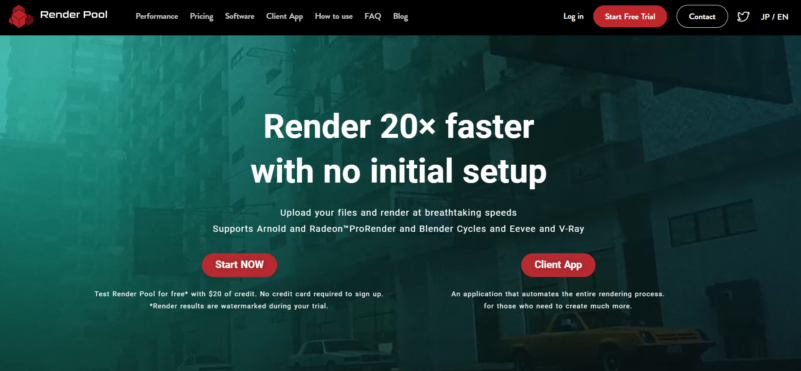
By distributing workloads across multiple machines, Render Pool significantly reduces render times while freeing local resources for creative tasks. This helps artists and studios maintain productivity, manage large projects more efficiently, and deliver high-quality results with less waiting time.
Key Benefits of Using Render Pool:
- Up to 20× faster rendering performance through distributed processing
- No initial setup required, allowing you to start rendering immediately
- Full support for Blender Cycles and Eevee with seamless file compatibility
- Cloud-based workflow, freeing local resources for modeling, animation, and scene development
- Scalable processing, from single-frame renders to 10,000+ frame animation projects
How Render Farms Fit Into Your Workflow
Render farms are not replacements for your computer but an extension of your existing workflow. You still create scenes, build materials, adjust lighting, and make all creative decisions within Blender. Many artists do not need to use one at the beginning of their Blender journey. However, as projects grow—whether through complex animations, client work, or detailed visual effects—rendering often becomes the main bottleneck.
At that point, a Blender render farm becomes a practical solution rather than just a technical option. It reduces waiting time by distributing rendering tasks across powerful remote systems, allowing artists to focus more on creation and less on processing delays.
By integrating a service like Render Pool into your workflow, Blender users can significantly reduce rendering time, maintain project momentum, and focus more on the creative aspects of production rather than hardware limitations.